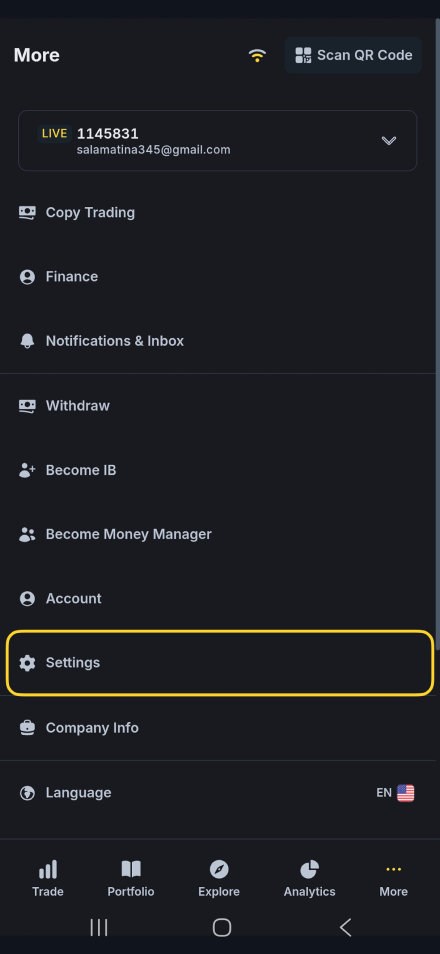
Menu:

Help center Delete your account in the mobile app Delete account

Delete your account in the mobile app

Here you can find instructions on how to delete your account in the mobile app.
How to delete your account in the mobile app Follow the steps below to permanently delete your account in the CaravanFX mobile app.
1
Open More

Tap the More button in the bottom menu.

2
Open Settings

Select Settings from the menu list.

3
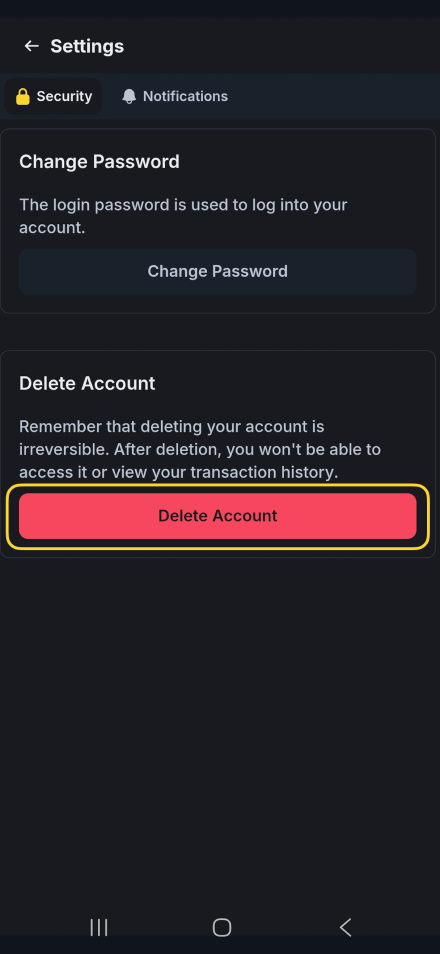
Tap Delete Account

Proceed with the Delete Account option.
Can’t find the answer you need?

Our support team is ready to assist you. We’re here 24/7 to guides.

Contact support